
Technology
 Technology Overview
Rocklin Academy has taken the Future Ready Pledge, signifying our commitment to preparing students for the 21st century. Here's a general overview of the basic tools students use at Rocklin Academy.
1:1 Technology
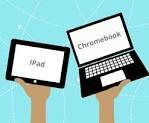
1:1 technology for all students. Device type and access differ by grade level:
- Students in TK, Kindergarten and 1st grade have access to iPads in the classroom.
- Students in grades 1-12 are issued Chromebooks and may take their devices home.
Basic Software
- PowerSchool is used for our Student Information System (SIS). Parent Portal access required to view students, grades, attendance and more.
- Illuminate is used for data and assessments at Western Sierra Collegiate Academy.
- NWEA is used for MAP testing and student assessments.
- G Suite for Education is a software suite for creating, sharing, and collaborating on documents.
Go Guardian-Parent App
Our schools will provide access to GoGuardian Parent, a mobile app designed to provide parents/guardians insight and control over their student's online activity when on school-managed Chromebooks and accounts outside of school hours.
Your child’s teacher retains control and monitoring of student devices during school hours, which are defined as Monday-Friday from 7:00am-3:30pm. This new Parent app will allow control over your student’s devices at any other time outside of these in-school hours.